

Enter events in seconds and track your results.
One account for the whole family. Set riders, bikes and transponders up once; every entry after that is three taps and a card.
- Free to join
- Google, Microsoft, Apple, Facebook or email sign-in
- Installs on iOS and Android
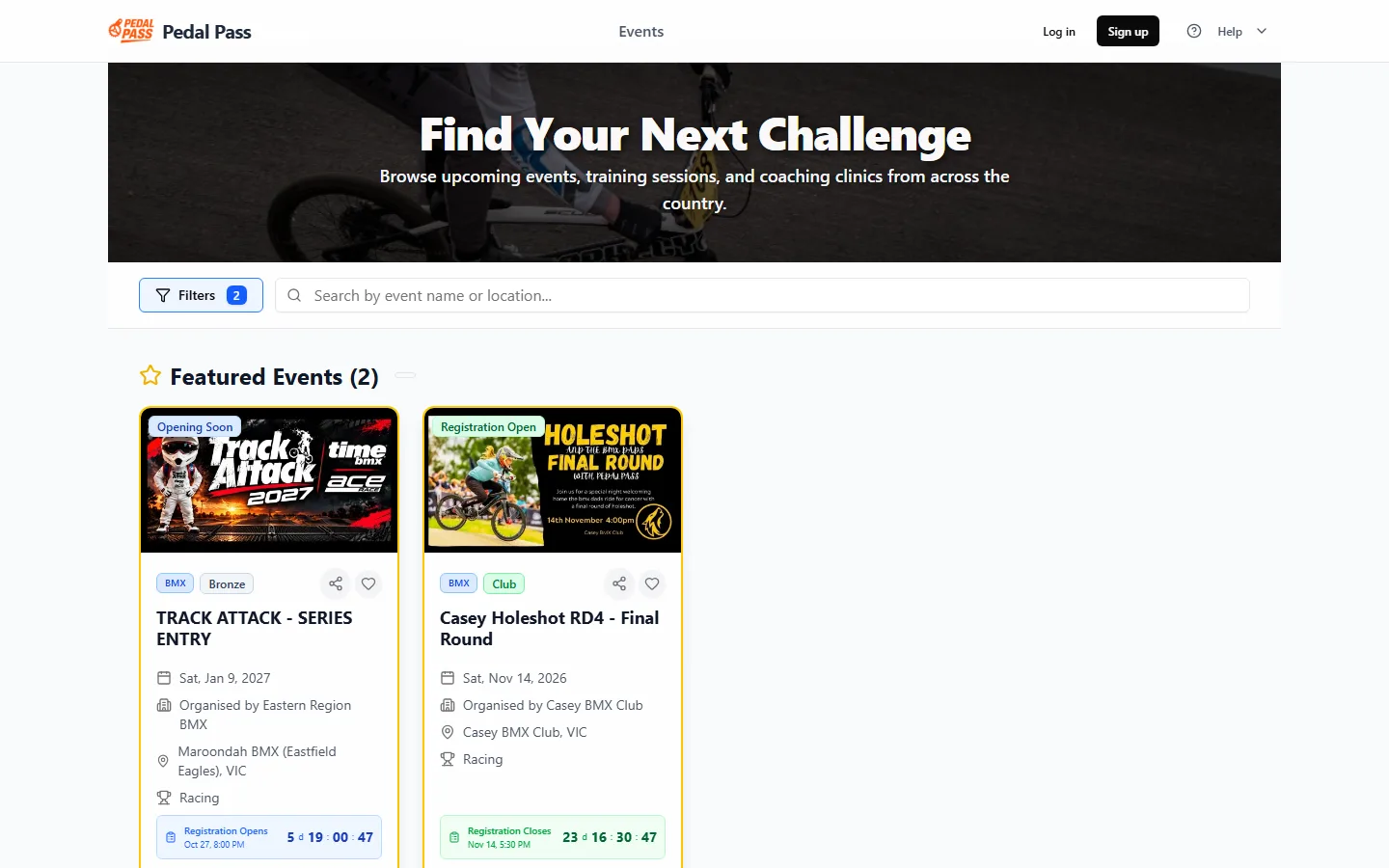
Find your next challenge.
Discover events across the country. Filter by state, date, discipline, club, format and status, or search for a track by name. Featured events sit at the top with a countdown to the close of entries.
- Search events by location and date
- Filter by discipline, club, format and registration status
- See capacity, deadlines and who from your club has entered
- Follow an event to get its updates on your phone
Every entry, one place.
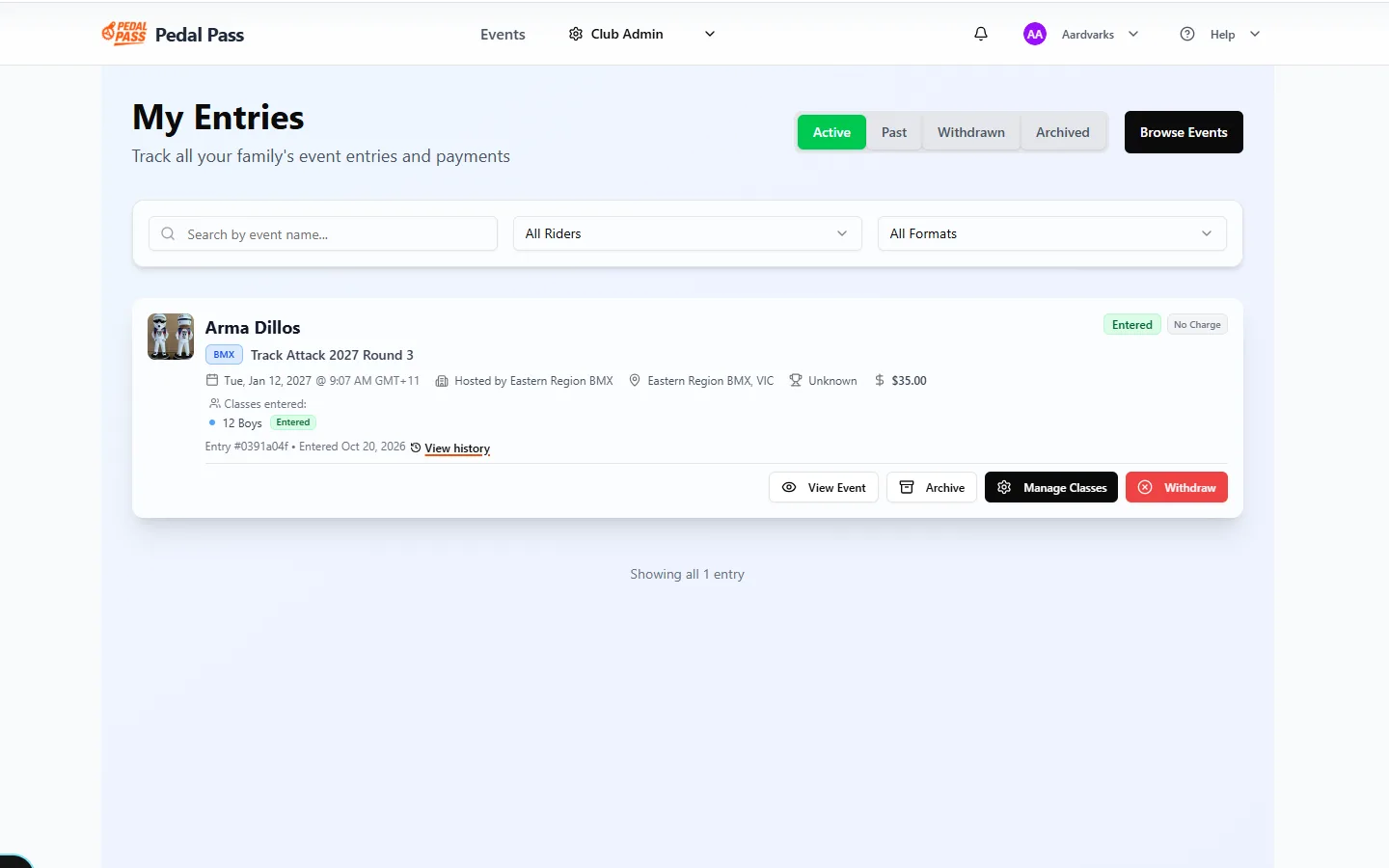
Keep track of all your race entries in one place. Edit entries before the deadline, view confirmations and manage withdrawals without emailing the club.
- Upcoming and past entries for every rider in the family
- Change classes or bike, add extras, before registration closes
- Payment and registration status at a glance
- Waitlist offers with a 48-hour window to accept
- Confirmed
- Paid. You're in.
- Pending
- Payment processing or under review.
- Waitlisted
- Event full. You're in the queue.
- Withdrawn
- You cancelled; refund per policy.
- Cancelled
- Organiser cancelled; refunded.
Your whole family, one account.
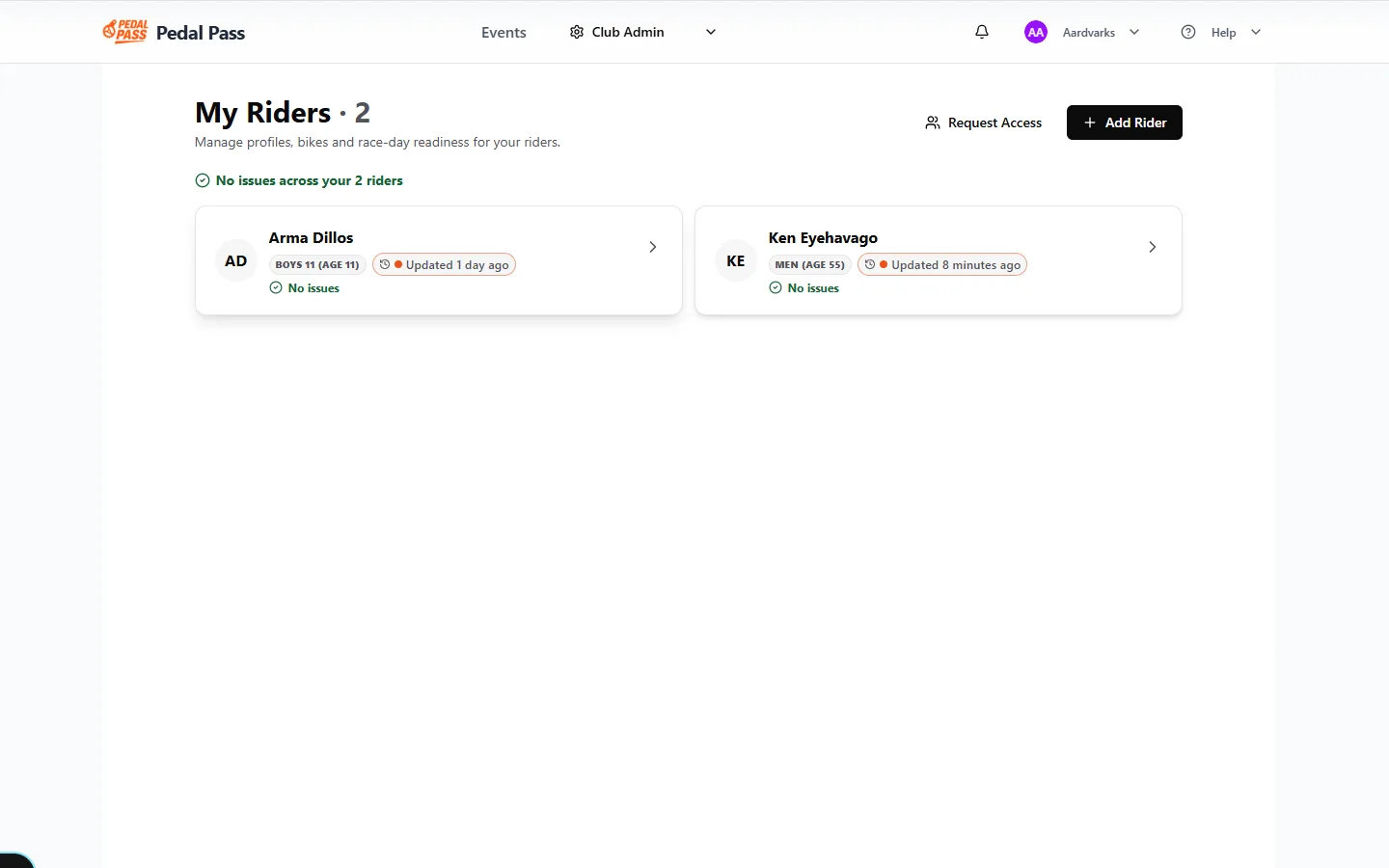
Add rider profiles for children, spouse, team or anyone else you enter. Each rider carries their own licence, date of birth and bikes, so the right classes appear automatically when you enter.
As many bikes as you race
20", 24" cruiser, retro: each with its transponder number and race plate. Mark one as primary for one-tap entries. Mini-wheelers and sprockets don't need a transponder.
Shared riders for co-parents
A second parent can request access to an existing rider by licence number and date of birth. Both see entries; whoever creates an entry controls it.
Race ready, at a glance
The Riders page shows who is race ready and who needs attention: licence, transponder, bike. Transponders are checked against MyLaps when you add them.
- Racing licence
- Valid
- Transponder
- Expires in 12 days
- Primary bike
- 20" · plate 108

Never miss race day.
Install Pedal Pass from the browser on iOS or Android, no app store needed. Reminders and updates arrive by push and email: confirmations, waitlist offers, schedule changes and event news from the organiser.
- Entry confirmedClub Race · Round 6. Receipt and tax invoice sent.
- Waitlist offer: 48 hours to acceptA spot opened in 15 Girls at the Bronze Event.
- Event updateGates open 8:00, practice 8:30. Parking via the north gate.
Pay by card. Keep the receipt.
Entry fees are set by each club. Pedal Pass adds a flat fee for each rider entered: 50c for competitive events and 20c for non-competitive events. Free-entry events have no rider fee.
Secure card payments
Major credit and debit cards through Stripe. One payment can cover several riders and classes.
Receipts and tax invoices
Every payment lands in Payment History with a receipt and a tax invoice you can download any time.
Refunds follow the event's policy
Each event shows its refund policy before you pay. Withdraw from My Entries and the refund is worked out automatically. Withdrawal fees may apply.
If a payment fails
You're emailed straight away and can retry from My Entries. Your place is held while the payment is pending.
All prices in AUD and include GST. Prices are subject to change. See pricing
From sign-up to start line.
Create your account
Sign in with Google, Microsoft, Apple, Facebook or email. Add your contact details and a secondary emergency contact once.
Add riders and bikes
Each rider with date of birth and racing licence, and every bike they race with its transponder number and plate.
Enter events
Open an event, choose rider and classes, confirm the bike, pay by card. Confirmation lands in your inbox and in My Entries.
Your account, your way.
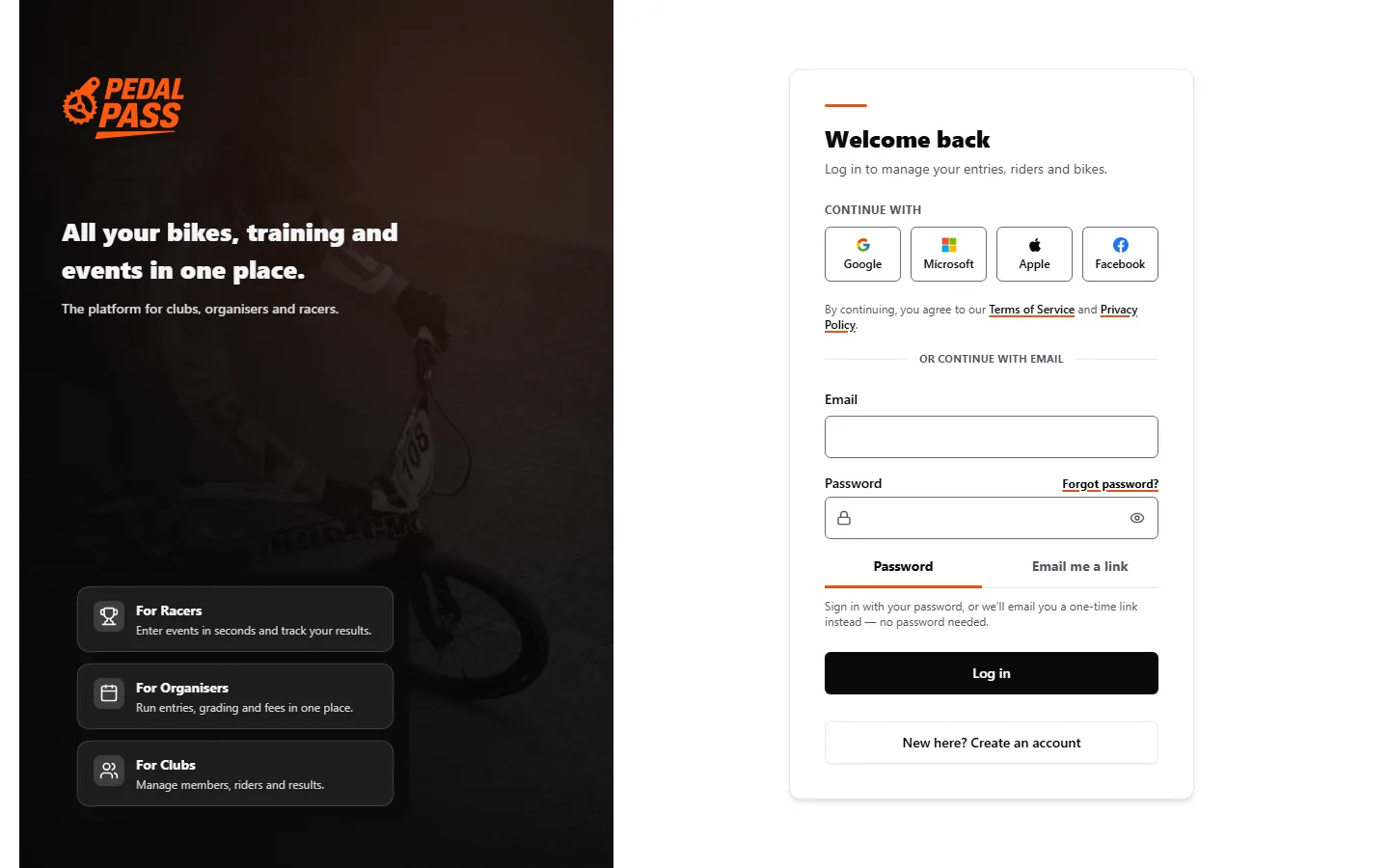
Continue with Google, Microsoft, Apple or Facebook, or use your email with a password or a one-time link. No app store: Pedal Pass installs from the browser on iOS and Android.
Create your free accountOpen app.pedalpass.com and choose Sign up. Continue with Google, Microsoft, Apple or Facebook, or use your email with a password or a one-time link. Your Pedal Pass profile is created from the details you sign in with.
Yes! When another parent tries to add a rider with the same racing licence number and date of birth, they can request access to the existing profile. You'll receive a notification to approve or deny this request. Once approved, both parents can view entries but only the parent who created each entry can edit or withdraw it.
You can still create the profile - just leave the licence field blank initially. However, most events require a valid racing licence, so you'll need to obtain one before entering competitive events. Contact your local club for help with licensing.
The transponder number is essential for race timing. If you enter an incorrect number, your laps may not be recorded properly. The format is XX-XXXXX (like AB-12345). Double-check this information!
Refund policies vary by event. Generally, withdrawals made well before the event may receive partial refunds minus any non-refundable fees. Withdrawals close to the event date may not be eligible for refunds. Check the specific event's refund policy.
